

Everyday Inventor tasks
IngeniTools
Focused tools for the document you are working on.
Contextual launcher
Find the Tools Relevant to Your Work
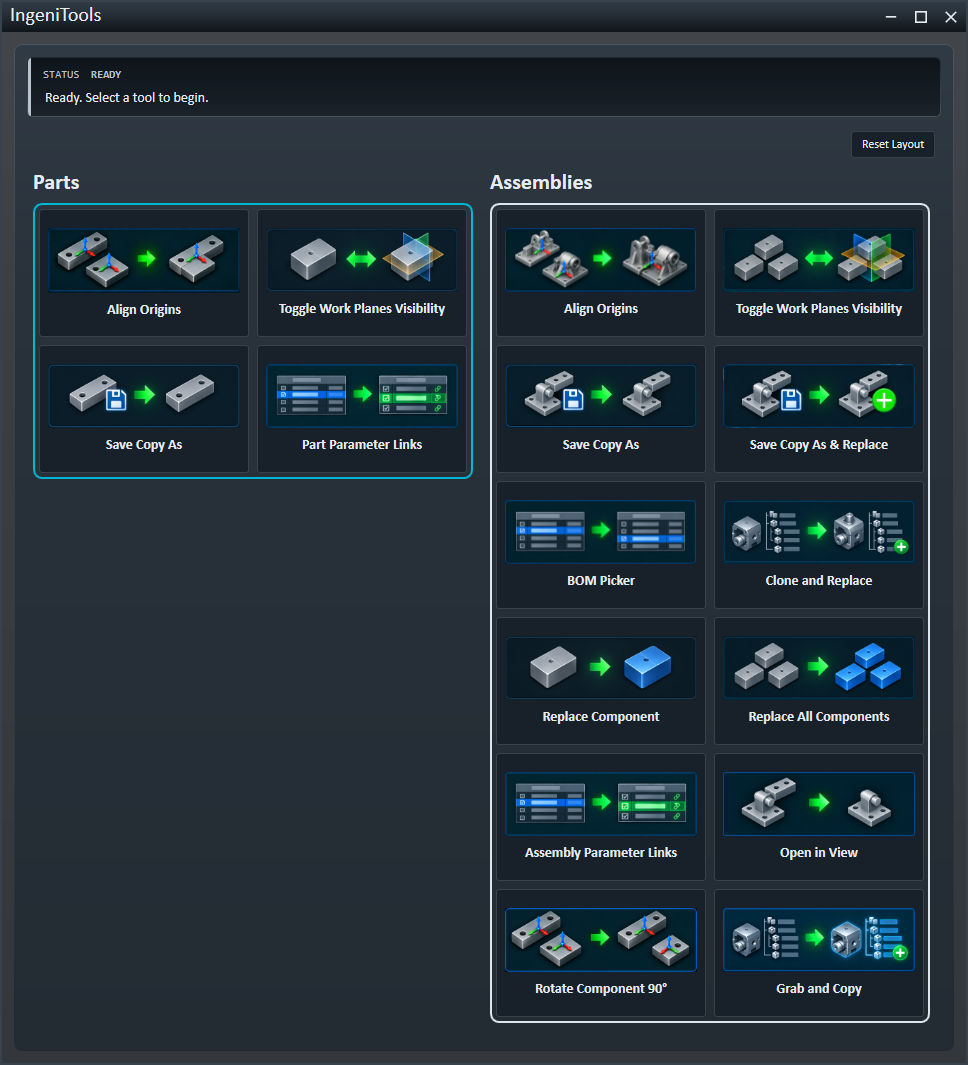
IngeniTools brings focused commands into a launcher that follows the active Autodesk Inventor part, assembly or drawing. Choose a command, follow its dialog or selection prompts, then review the affected document.
Reorder visible tools and save or reset the launcher layout to suit the way you work.
Assembly work
Replace and Reuse Components
Replace one selected component or all occurrences referencing the same document. Save Copy As & Replace saves a part or subassembly copy and replaces its occurrence.
Clone and Replace saves and opens an assembly copy, then lets you choose replacements within that copy. For broader project copying and target planning, use IngeniClone.
Component positioning
Align Origins and Rotate Supported Occurrences
Align corresponding origin planes of two selected components, or rotate a supported occurrence by positive or negative 90 degrees about an Origin axis.
Rotation availability depends on the occurrence and its controlling relationships. Nested, adaptive, patterned or joint-controlled occurrences and unsupported constraints can prevent the operation.
Working in context
Open in View and Grab and Copy
Open a selected part with a view derived from its assembly context. Grab and Copy places a selected component and its attached Content Center and library occurrences on the Inventor clipboard, ready for you to paste.
Document structure
BOM Structure and Parameter Links
BOM Picker offers Normal, Phantom, Reference, Purchased and Inseparable structures for the active edit document. It applies the selection and attempts to save; check the result message if either action does not complete.
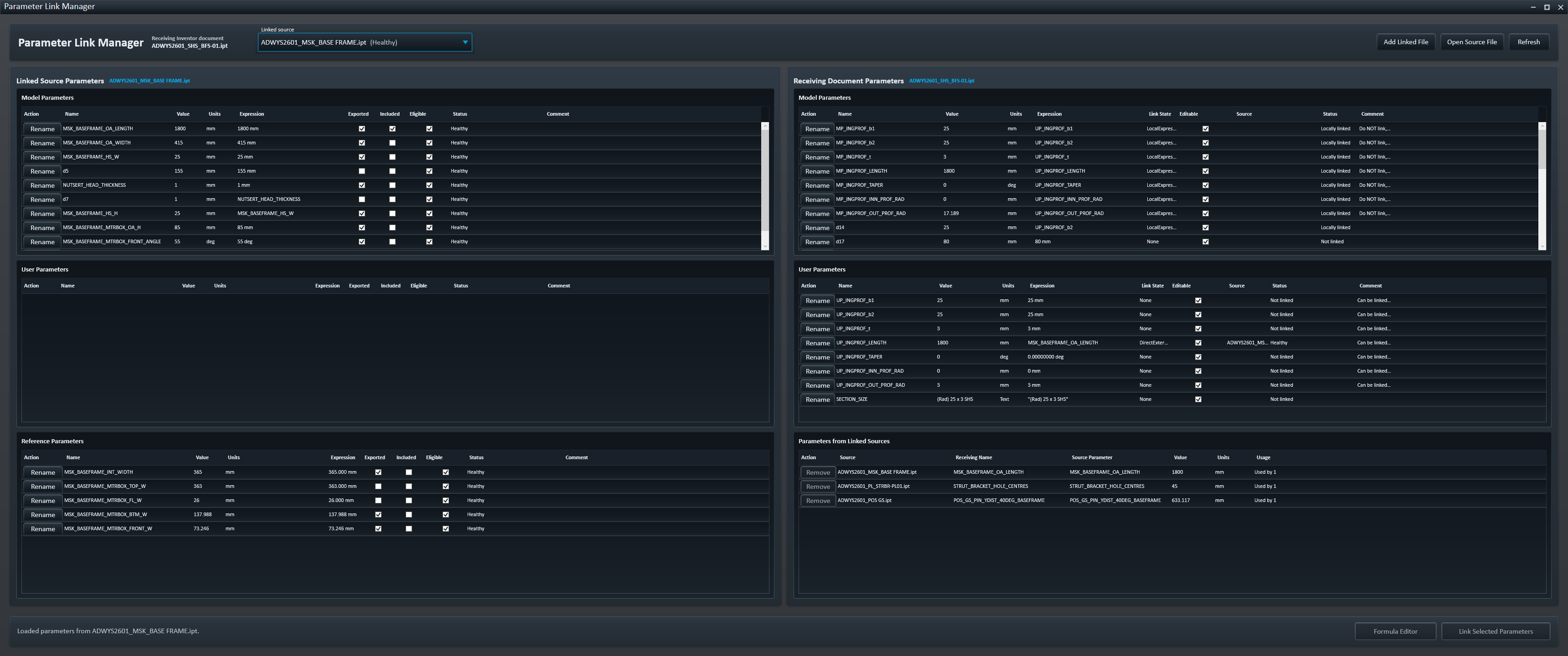
Part Parameter Links and Assembly Parameter Links open Parameter Link Manager for the appropriate receiving document. Work-plane visibility tools act on the supported part or assembly context.
Copies and navigation
Continue Working in Inventor
Save Copy As supports parts, assemblies and drawings. From a drawing, Sheet Navigator provides sheet previews and activation.
Commands require the appropriate Inventor document or selection, and their save behaviour varies. Review the operation result and save affected documents where needed.