
Drawing-office control
Company Standards
IngeniStudio adapts to the drawing office's standards rather than requiring the drawing office to adopt IngeniStudio's standards.
The reference point
Automation should begin with the way engineering information must be delivered.
Company Standards provide the context for how a drawing office expects engineering information to be structured, presented and released. IngeniStudio's direction is to work with those requirements rather than replace them with a fixed software-defined convention.
IngeniStandards is the dashboard entry for the Company Standards configuration area. It brings company templates, property rules, drawing layouts and part conventions into a working package that can be published for project assignment.
Drawing presentation
Drawing templates, sheet formats, borders and title blocks.
Revision control
Revision tables and the information required through drawing updates.
Parts information
Parts lists, naming conventions and related engineering information.
Release outputs
Export rules and release requirements established by the drawing office.
Templates and properties
Start with Your Company Resources
Confirm the company’s Standard.ipt, Standard.iam and Standard.idw sources, drawing projection and default linear dimension style. Configure Part and Assembly iProperty profiles separately and review custom property links.
The configuration defines which supported properties IngeniStudio supplies and which remain under company control. Check source-file validation results before continuing.
Drawing conventions
Capture Views and Sheet Layouts
Save Main View and projected-view references, then capture named Sheet Layouts from the intended Standards Reference Drawing. Layouts include frame areas, drawing resources and Parts List settings.
Allocate sketched symbols to frames or the sheet and configure the supported part conditions for their placement. IngeniDrawings uses the assigned published configuration during drawing preparation. Layout operations can stamp and save the reference drawing, so use the intended company source.
Part conventions
Configure the Information Behind Your Parts
Set supported family description formats, enabled design statuses and defaults, file-naming formats, default quantity and revision, text case and exported model-parameter property formats. Description and naming previews help you check the intended result.
Material choices are configured separately through the Materials menu in IngeniParts. Publishing company conventions and configuring material associations are separate steps.
Working and published settings
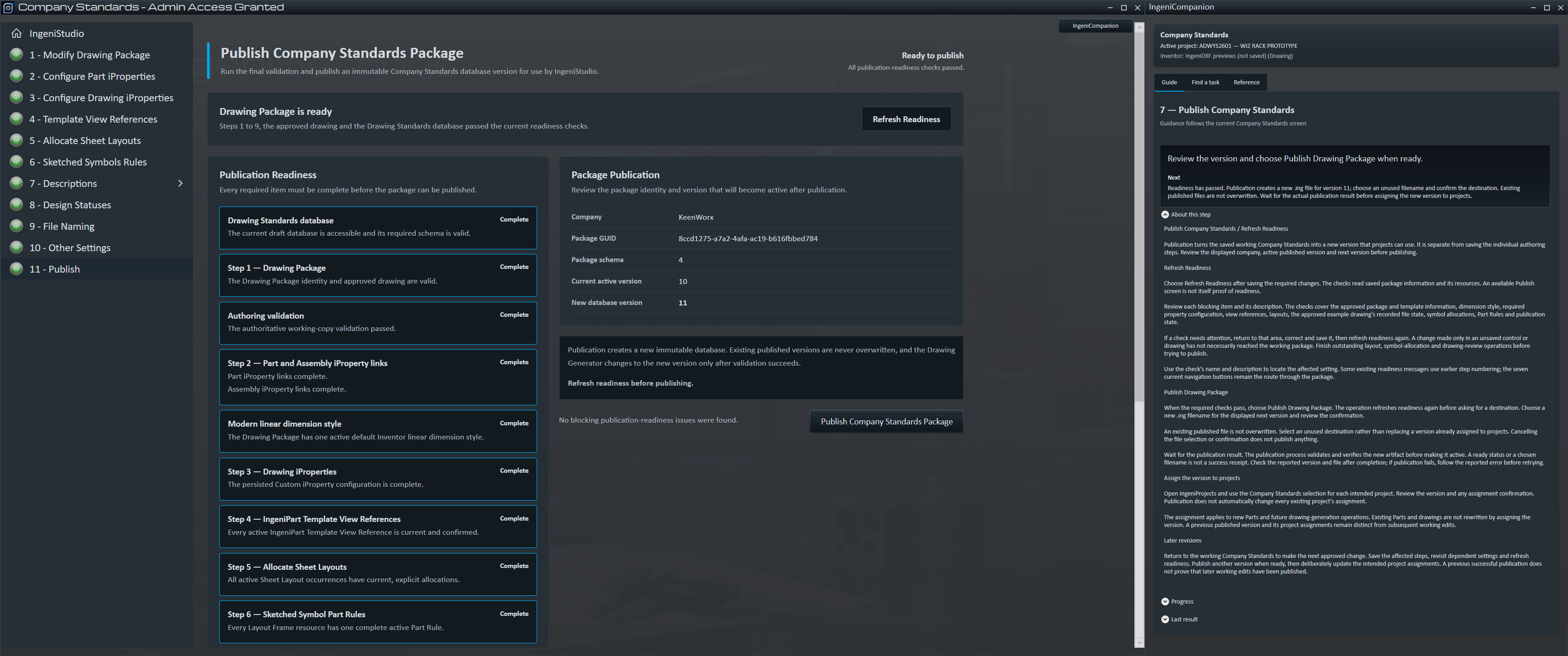
Publish a Version for Project Use
Saving working settings and publishing a standards version are separate actions. Refresh readiness after configuration changes, resolve blocking items and publish a new versioned .ing package. The publication workflow protects existing published packages from overwrite.
Assign the intended published version through IngeniProjects. Publishing or changing an assignment does not rewrite existing parts or drawings. Check representative new parts and drawings before adopting the revised configuration.
Scope note
Available configuration depends on the supplied templates, resources and supported workflow. Review dependent profiles, layouts and symbol allocations when source resources change.